> For the complete documentation index, see [llms.txt](https://planetary-defense-guide.gitbook.io/guide/llms.txt). Markdown versions of documentation pages are available by appending `.md` to page URLs; this page is available as [Markdown](https://planetary-defense-guide.gitbook.io/guide/discord-game/stats.md).
# Stats
Track your personal Planetary Defense stats, straight from your Discord profile.
Clicking the Stats button shows your personal statistics for Planetary Defense, tracked across your entire Discord profile — from missions and shopping to the Altar and World Boss battles.
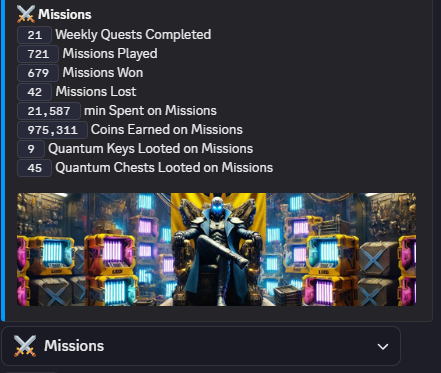
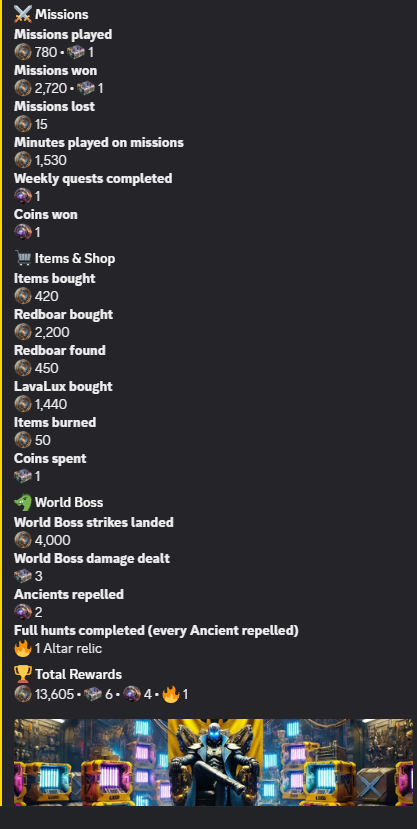
The first view is a general overview built from your **Missions** activity: Weekly Quests Completed, Missions Played, Missions Won, Missions Lost, minutes spent on missions, Coins Earned on Missions, and the Quantum Keys and Quantum Chests looted on missions.
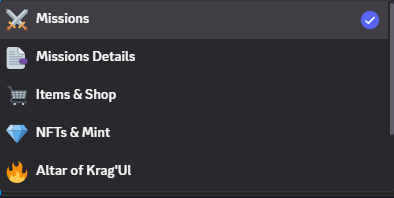
At the bottom of the panel, the dropdown button works as a selector: clicking it opens a menu listing every stats category available — Missions, Missions Details, Items & Shop, NFTs & Mint, Altar of Krag'Ul, World Boss, and Achievements. A checkmark next to a category shows which one you're currently viewing.
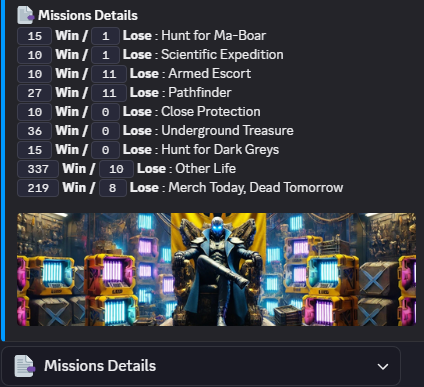
**Missions Details** breaks your missions record down by individual mission type, showing your wins and losses for each one.
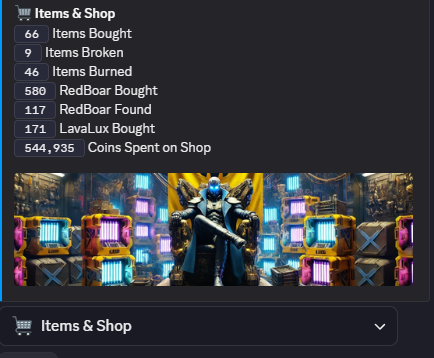
**Items & Shop** tracks your shopping activity: items bought, broken, and burned, how many Red Boar and Lava Lux items you've bought or found, and the total coins spent in the shop.
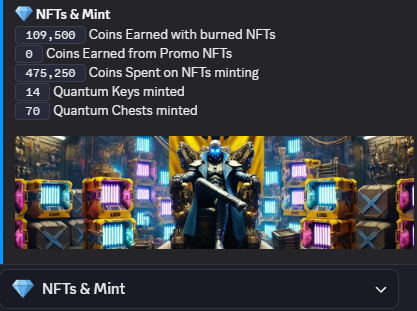
**NFTs & Mint** tracks your minting activity: coins earned from burning NFTs, coins earned from promo NFTs, coins spent minting, and how many Quantum Keys and Quantum Chests you've minted.
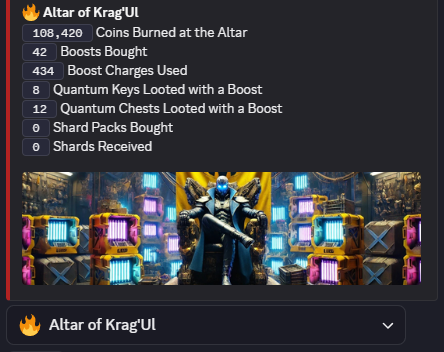
**Altar of Krag'Ul** tracks your activity at the Altar: coins burned, Relics bought, Relic charges used, Quantum Keys and Quantum Chests looted through Relics, and Shard Packs bought and Shards received.
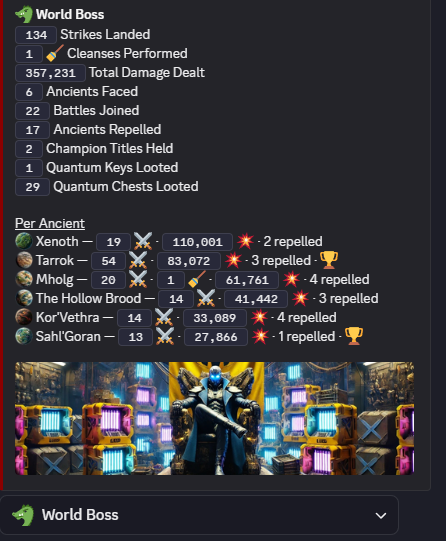
**World Boss** tracks your World Boss activity: strikes landed, cleanses performed, total damage dealt, Ancients faced, battles joined, Ancients repelled, Champion Titles held, and Quantum Keys and Quantum Chests looted — along with a per-Ancient breakdown of your damage and repels against each individual boss.
**Achievements** summarizes the rewards distributed automatically when you reach various milestones in the game, simply by playing. A number of missions lost, Coins spent, the Red Boar found, etc..
{% hint style="info" %}
Note: The information on this page reflects the current state of Planetary Defense's development. As new features are actually released and the game evolves, some details here may change, and this page will be updated to stay accurate.
{% endhint %}
---
# Agent Instructions
This documentation is published with GitBook. GitBook is the documentation platform designed so that both humans and AI agents can read, navigate, and reason over technical content effectively. Learn more at gitbook.com.
## Querying This Documentation
If you need additional information that is not directly available in this page, you can query the documentation by asking a question.
Perform an HTTP GET request on the following URL with the `ask` and `goal` query parameters:
```
GET https://planetary-defense-guide.gitbook.io/guide/discord-game/stats.md?ask=&goal=
```
`ask` is the immediate question: it should be specific, self-contained, and written in natural language.
`goal` is what the user is ultimately trying to achieve, the reason they need the answer. Sharing it helps GitBook give you a better, more relevant answer. A goal is most helpful when it describes the outcome the user wants rather than restating the question. For example, with `ask=how do I create an API token`, a goal like `automate deployments from our CI pipeline` lets GitBook tailor the answer to that use case.
The response will contain a direct answer to the question and relevant excerpts and sources from the documentation.
Use this mechanism when the answer is not explicitly present in the current page, you need clarification or additional context, or you want to retrieve related documentation sections.